
- Home
- Company
- Products
- Solutions
- Updates
- Literature
- Comparing
- Training & Demo
- Architecture & Technology
- System Data Flow
- LAMP Technology
- Language PHP
- Paperless Workflow
- Executive Desktop
- Executive Desktop Business Intelligence
- Key Indicators (KPI’s)
- Applications Dictionary
- Web Architecture
- Data Center and Product Security
- OpenPro built in Transaction Integrity
- Automated Migration, Conversion
- System Integration using REST and SOAP
- Databases that OpenPro ERP uses
- 3rd party add-ons
- ERP Phone Integration
- Fax and SMS Integration
- Create a Screen
- Ajax Technology
- Industries & Markets
- Small Business
- Medium Business
- Enterprise ERP
- Implementation
- Features
- Services
- Customer
- Distributor
- Investors
- Home
- Company
- Products
- Solutions
- Updates
- Literature
- Comparing
- Training & Demo
- Architecture & Technology
- System Data Flow
- LAMP Technology
- Language PHP
- Paperless Workflow
- Executive Desktop
- Executive Desktop Business Intelligence
- Key Indicators (KPI’s)
- Applications Dictionary
- Web Architecture
- Data Center and Product Security
- OpenPro built in Transaction Integrity
- Automated Migration, Conversion
- System Integration using REST and SOAP
- Databases that OpenPro ERP uses
- 3rd party add-ons
- ERP Phone Integration
- Fax and SMS Integration
- Create a Screen
- Ajax Technology
- Industries & Markets
- Small Business
- Medium Business
- Enterprise ERP
- Implementation
- Features
- Services
- Customer
- Distributor
- Investors
Sales Analysis Module Overview
Thousands of users are relying on OpenPro ERP software everyday!
Sales Analysis is used to report sales and commission from each sale. This system supports multi-tier commission to handle multiple salesmen for one order. Commissions are based upon sales or cash receipts from those sales.
Commission can be calculated by gross profit or gross sale amount. Sales Analysis reports are based upon product, category, sub-category or by customer.
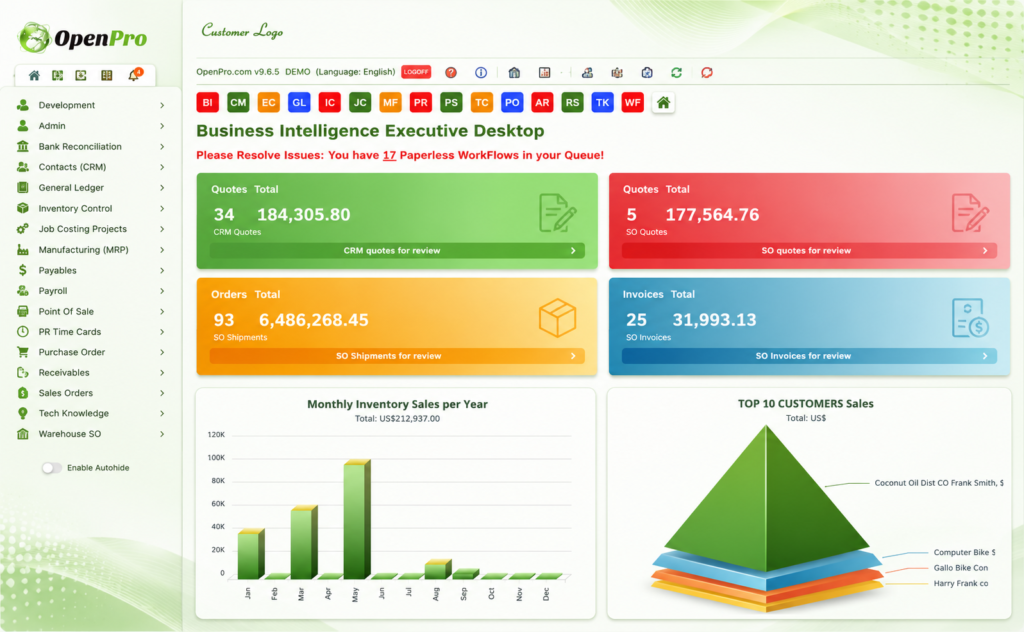
SALES ANALYSIS
Flexibility in Sales Analysis is an essential feature of a modern business software package. Management need to identify trends in the market place and respond accordingly. OpenPro gives it’s users an unusual level of flexibility with these reports with the ability to view the sales of actual parts by customer (or vice versa) and then view the invoices and credit notes and if necessary view/print these documents.
Overview
The Sales Analysis allows you to analyse sales from all sources of invoicing and credit notes in a variety of ways. There is a variable key analysis that allows the sequences of the reports to be variable and be changed interactively to produce analysis in the sequence required. Within this report, the sales may be compared with costs, last year sales or budgets and have the variance shown as a value or percentage to produce the desired results.
The system retains the demand (usage) of each part by location/branch so that in a manufacturing/repair/kit-set environment all usage of a part is recorded not just that of the final product. This is retained in association with the Cost of Sales.
The Customer turnover is concerned solely with sales and is retained as total value by ‘invoice to’ account.
Features
- Detail and summary history inquiry
- The system has four major types of analysis:
- Customer Turnover
- Cost of Sales
- Commission Calculation (optional)
- Variable key Sales Analysis (optional)
- The variable key analysis is optional so that if you do not need this level of sophistication, and can manage with just Sales by Location/Part (Cost of Sales) and Customer Turnover, you do not need to have it.
- All variable analyses may be reported in two ways:
- This Period and YTD.
- Last 12 Periods with YTD and last 12 period totals.
- The Period and YTD report may be produced in code sequence or in ascending or descending value sequence on all elements or just the lowest element.
- The variable analysis can be produced for past periods.
- The system can use the last 3 years of demand to forecast the likely sales in the succeeding year.
- Reports can be in character or graphical form.
- Customer Turnover
This is a record of total sales value (excluding tax) for the present period and the preceding 24 periods. It is held with the customer name and address details and is for sales by ‘Invoice to’ address.
Cost of Sales
- The Cost of Sales sub-system retains details by Sales Location and Part Number. It retains:
- Invoice and credit note quantities, net sales value, and costs, as monthly totals for this and the previous 27 periods. (these are rolled at the period end).
- Totals of usage/demand for this and the 36 previous periods. (includes issues to WIP, kit-set items, and lost sales).
- The forecast of the next 18 periods usage.
- The quantity and value of stock on-hand at period end for the last 12 periods
- The last 8 lead times of receipts from Purchase Orders.
- These details are always maintained by the system: there is no option to have them or not. In some cases, they provide all the sales analysis a company needs.
Demand Forecasts
The system has a sophisticated program to forecast the next year’s requirements for a Part by Location, based on the usage/demand history over the previous 24 or 36 periods.
Commission
Salesperson Commission is optional and is switched on or off by a setting on the control record.
Commission is calculated from the invoice total or may vary by each invoice item. The calculation is a percentage of the item Gross, Net or Margin.
It may be set for a combination of:
Salesperson,
Customer or Customer Type,
Part or Analysis Group (or Invoice total).
Any of the three elements may be left blank to indicate All
The commission calculated may be posted to the Cashbook for payment. This posting may be when the sale is made or when the payment is received.
Flexible sales formula creation based on standard cost, market cost, or a variation of retail prices
Full integration with Order Entry, Accounts Receivable, Inventory Control, Memos/RMA, and Invoice Processing
Comprehensive security features for sensitive data
Commission management and calculation for salespersons, brokers, finders, etc.
Customer sales history by time period and profitability
Sales tax reporting
Extensive sales analysis reporting
Submodule for Commissions includes the entry and editing of monthly commission rules, commission accelerators, gross profit goals, and columnar pricing rules, the reporting and processing of sales commissions, salesperson profile reporting, composite commissions, goal processing, and monthly commission reports